


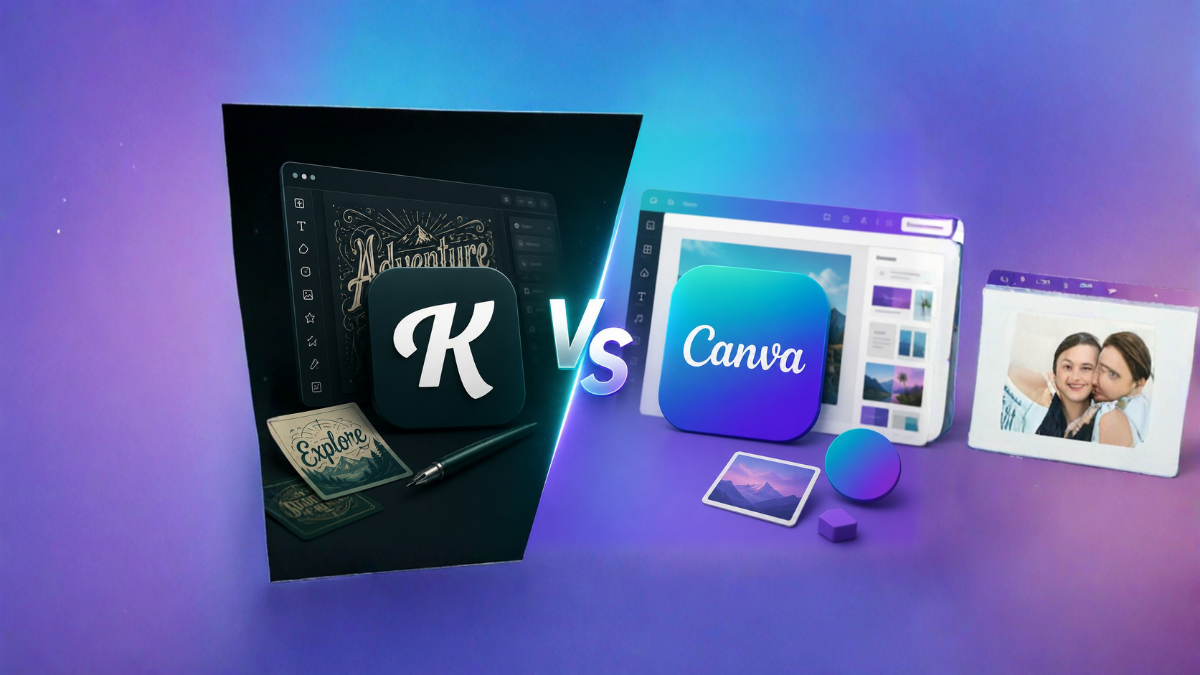
Creating professional designs no longer requires expensive software or advanced graphic design skills. Today, online design platforms like Kittl and Canva have completely changed the way creators, bloggers, marketers, and businesses produce visual content. Both platforms offer powerful design tools, easy-to-use interfaces, and thousands of templates. However, many creators still ask one important question: Kittl vs Canva – which design platform is better for creators?
The answer depends on your needs, budget, and the type of content you create. In this detailed comparison, we will explore the features, advantages, disadvantages, pricing, and best use cases of both platforms to help you choose the right design tool.
What Is Kittl?
Kittl is a modern graphic design platform that focuses heavily on typography, illustrations, and professional-quality designs. It is especially popular among print-on-demand sellers, logo designers, and creators who need advanced text effects and unique graphics.
The platform provides ready-made templates for:
- T-shirts
- Posters
- Logos
- Social media graphics
- Invitations
- Business cards
- Merchandise designs
- Print products
Kittl has become popular because it offers design features that were once available only in professional software like Adobe Illustrator.
What Is Canva?
Canva is one of the world’s most widely used graphic design platforms. It allows users to create professional designs using a simple drag-and-drop editor. The platform is designed for beginners and professionals alike.
Canva supports the creation of:
- Social media posts
- Presentations
- Videos
- Documents
- Infographics
- Websites
- Resumes
- Flyers
- Marketing materials
Millions of businesses and creators use Canva because of its simplicity and huge template library.
Kittl vs Canva: User Interface
Kittl Interface
Kittl offers a clean and modern dashboard. The editor looks more professional and includes advanced typography tools. However, beginners may need some time to understand all the features.
The interface is ideal for:
- Professional designers
- Print-on-demand sellers
- Logo creators
- Typography enthusiasts
Canva Interface
Canva’s interface is extremely beginner-friendly. Everything is designed to make graphic creation easy and fast. Even someone with no design experience can create attractive graphics within minutes.
The interface is ideal for:
- Beginners
- Bloggers
- Small businesses
- Students
- Social media managers
Winner: Canva for beginners, Kittl for advanced creative control.
Template Library Comparison
Kittl Templates
Kittl offers beautifully designed templates that are highly artistic and creative. Most templates focus on:
- Vintage designs
- Logos
- Typography
- Merchandise
- Posters
- Print designs
The templates are highly customizable and look professional.
Canva Templates
Canva offers millions of templates across nearly every category imaginable.
Templates are available for:
- YouTube
- Presentations
- Documents
- Business materials
- Marketing campaigns
- Education projects
Canva clearly has a larger template collection.
Winner: Canva.
Typography Features
Typography is one area where Kittl truly shines.
Kittl Typography Features
Kittl offers:
- Text warping
- Curved text
- Advanced shadows
- Texture effects
- Distressing effects
- Letter transformations
- Professional font styling
These features make it perfect for:
- Logo design
- T-shirt design
- Merchandise graphics
- Poster creation
Canva Typography Features
Canva offers:
- Basic text effects
- Shadows
- Curved text
- Animation
- Font combinations
While useful, Canva’s typography tools are more limited compared to Kittl.
Winner: Kittl.
AI Features Comparison
Artificial Intelligence has become an important part of modern design tools.
Kittl AI Tools
Kittl provides:
- AI image generation
- AI logo creation
- AI text generation
- AI background removal
- AI vector generation
These tools are focused on creative design work.
Canva AI Tools
Canva has introduced many AI features, including:
- Magic Design
- Magic Write
- Text-to-image generation
- Background remover
- AI presentations
- AI video editing
Canva’s AI tools are more diverse and support multiple content formats.
Winner: Canva.
Logo Design Capabilities
Kittl for Logo Design
Kittl is one of the best platforms for logo creation because of its advanced typography and vector editing features.
You can create:
- Vintage logos
- Modern logos
- Gaming logos
- Brand identities
- Monograms
Canva for Logo Design
Canva can also create logos, but its tools are relatively simple.
It works well for:
- Basic business logos
- Startup logos
- Social media branding
Winner: Kittl.
Social Media Design
Kittl
Kittl can create social media graphics, but this is not its primary focus.
Canva
Canva is arguably the best platform for social media content creation.
It offers templates for:
- Instagram posts
- Reels
- Stories
- Pinterest Pins
- Facebook posts
- LinkedIn graphics
- YouTube thumbnails
Winner: Canva.
Print-On-Demand Designs
Print-on-demand creators need professional designs for products like T-shirts and mugs.
Kittl
Kittl is specifically loved by:
- Etsy sellers
- Merch creators
- Amazon Merch sellers
- Print-on-demand businesses
The typography tools and vector editing capabilities make merchandise creation much easier.
Canva
Canva can create merchandise designs, but it lacks the professional text effects available in Kittl.
Winner: Kittl.
Collaboration Features
Canva
Canva offers excellent collaboration tools.
Features include:
- Team sharing
- Comments
- Real-time editing
- Brand kits
- Team folders
Kittl
Kittl has collaboration features, but they are not as extensive as Canva’s.
Winner: Canva.
Stock Images and Graphics
Canva
Canva provides millions of:
- Photos
- Videos
- Icons
- Illustrations
- Audio files
Kittl
Kittl also offers a large asset library but focuses more on illustrations and graphic elements.
Winner: Canva.
Learning Curve
Kittl
Kittl may take some time to master due to its advanced features.
Canva
Canva is incredibly easy to learn.
Most users can create designs within minutes.
Winner: Canva.
Pricing Comparison
Kittl Pricing
Kittl offers:
- Free plan
- Pro plan
- Expert plan
The free version includes limited assets and exports.
Canva Pricing
Canva offers:
- Free plan
- Canva Pro
- Canva Teams
The free plan itself is extremely powerful and suitable for many users.
Winner: Canva.
Export Options
Kittl
Supports:
- PNG
- JPG
- SVG
SVG export is highly useful for professional designers.
Canva
Supports:
- PNG
- JPG
- MP4
- GIF
- PPT
Canva offers more file types overall.
Winner: Canva.
Best Features of Kittl
- Advanced typography tools
- Professional text effects
- High-quality illustrations
- Excellent logo creation
- Vector editing features
- Perfect for print-on-demand businesses
- Beautiful artistic templates
Best Features of Canva
- Easy to use
- Huge template library
- Team collaboration
- Video editing
- Presentation creation
- Social media management
- Powerful AI tools
- Large asset collection
Who Should Choose Kittl?
Kittl is the better choice if you are:
- A logo designer
- A T-shirt seller
- An Etsy seller
- A print-on-demand entrepreneur
- A typography enthusiast
- A merchandise creator
Who Should Choose Canva?
Canva is the better choice if you are:
- A beginner
- A blogger
- A social media creator
- A business owner
- A marketer
- A teacher
- A student
- A content creator managing multiple platforms
Kittl vs Canva: Pros and Cons
Kittl Pros
- Outstanding typography tools
- Professional templates
- Excellent for merchandise
- Advanced text customization
- Great vector features
Kittl Cons
- Smaller template library
- Fewer collaboration tools
- Slightly steeper learning curve
Canva Pros
- Beginner-friendly
- Huge template collection
- Excellent collaboration features
- Supports videos and presentations
- Strong AI capabilities
Canva Cons
- Limited typography tools
- Less control for advanced designers
- Some premium assets require paid plans
Which Platform Is Better for You?
There is no single winner because both platforms serve different types of creators.
Choose Kittl if your focus is:
- Logo design
- Print-on-demand products
- Typography
- Artistic graphics
- Professional text effects
Choose Canva if your focus is:
- Social media content
- Business marketing
- Presentations
- Team collaboration
- Beginner-friendly design creation
Many professional creators actually use both platforms together. They create advanced typography and logos in Kittl and use Canva for social media graphics, presentations, and marketing materials.
Final Verdict
In the battle of Kittl vs Canva, Canva wins in terms of versatility, ease of use, and overall functionality. It is an all-in-one platform suitable for almost every type of creator.
However, when it comes to typography, merchandise creation, logo design, and artistic freedom, Kittl clearly has the advantage.
If you are a beginner looking for a complete design solution, Canva is the better option. If you need professional text effects and high-quality print designs, Kittl is the platform worth choosing.
For many creators, the ideal solution is not choosing one over the other but using both tools according to specific design needs.
Frequently Asked Questions (FAQs)
1. Is Kittl better than Canva?
Kittl is better for typography and merchandise design, while Canva is better for general graphic design and social media content.
2. Is Kittl free to use?
Yes, Kittl offers a free plan with limited features and assets.
3. Is Canva completely free?
Canva offers a free version, but some premium features require a Canva Pro subscription.
4. Which platform is better for logo design?
Kittl is generally considered better for logo design due to its advanced typography tools.
5. Which platform is better for beginners?
Canva is much easier for beginners to learn.
6. Can I sell designs made with Kittl?
Yes, depending on the licensing terms of the assets you use.
7. Can Canva create professional designs?
Yes, Canva can create highly professional graphics for businesses and creators.
8. Which platform is better for print-on-demand businesses?
Kittl is the preferred choice for print-on-demand sellers.
9. Does Canva have AI features?
Yes, Canva offers several AI-powered tools, including Magic Design and Magic Write.
10. Does Kittl support SVG export?
Yes, Kittl supports SVG export on eligible plans.
11. Can I use both Kittl and Canva together?
Yes, many creators use both platforms to maximize their design capabilities.
12. Which platform offers more templates?
Canva offers a significantly larger template library than Kittl.
