


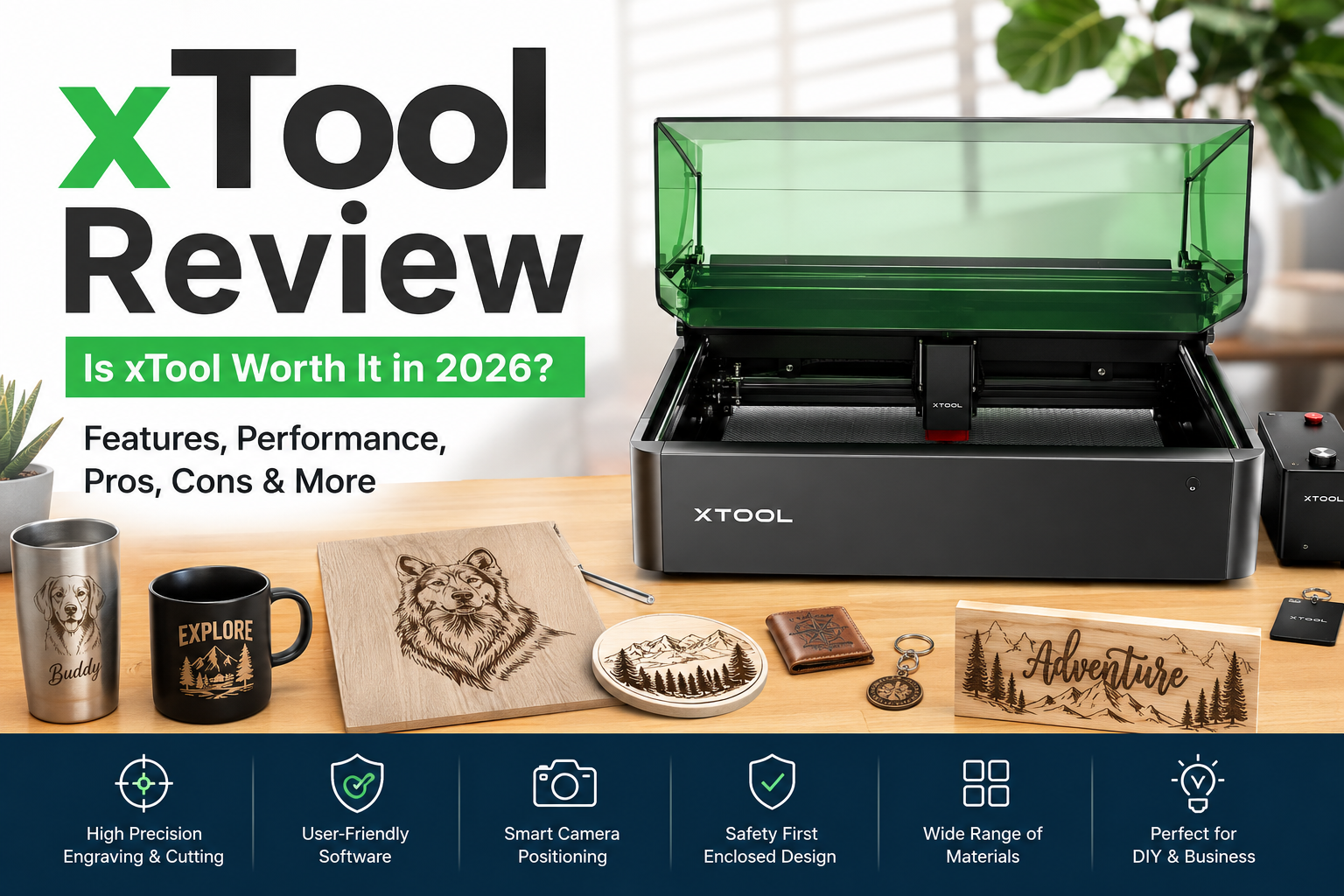
If you’re looking for a reliable laser engraving and cutting machine for DIY projects, small businesses, or professional workshops, you’ve probably come across xTool. Over the last few years, xTool has become one of the most recognized brands in the desktop laser engraving industry, offering machines that combine powerful hardware with beginner-friendly software.
But is xTool really worth the investment? Can it compete with brands like Glowforge, Cricut, and OMTech? In this detailed xTool review, we’ll explore its features, product lineup, pricing, ease of use, customer experience, pros and cons, and whether it’s the right choice for your creative projects.
What Is xTool?
xTool is a creative technology company specializing in laser engravers, laser cutters, UV printers, metal fabrication tools, and crafting machines. The company designs products for hobbyists, Etsy sellers, educators, makers, and small businesses that want to create personalized products, signs, jewelry, gifts, home décor, and more. The company has expanded from desktop laser engravers into a broader ecosystem of fabrication and printing tools.
Unlike many entry-level laser brands, xTool focuses on combining powerful hardware with intuitive software, safety features, and accessories that allow users to scale from simple DIY projects to commercial production.
How Does xTool Work?
The process is simple:
- Create or import a design.
- Open xTool Creative Space (or supported software).
- Select your material.
- Adjust laser settings.
- Position the material using the camera (on supported models).
- Start engraving or cutting.
Many xTool machines also include autofocus, intelligent positioning, and preset material settings, making them easier for beginners than traditional industrial laser systems.
Key Features of xTool
1. Wide Product Range
xTool offers machines for nearly every budget and experience level, including portable engravers, enclosed diode lasers, CO₂ laser cutters, and professional fabrication systems.
2. Beginner-Friendly Software
The xTool Creative Space software offers an intuitive interface, material presets, AI-assisted design tools, and support for common file formats such as SVG, PNG, JPG, PDF, and DXF.
3. High Precision
Many machines provide fine engraving suitable for intricate artwork, logos, personalized gifts, and detailed business products.
4. Camera Positioning
Premium models include built-in cameras that preview the workspace, helping users align designs accurately and reduce wasted materials.
5. Safety Features
Unlike many open-frame laser engravers, several xTool models feature enclosed designs, emergency stop buttons, flame detection, lid-open protection, and Class 1 safety certification.
6. Material Compatibility
Depending on the machine, xTool can engrave or cut:
- Wood
- Acrylic
- Leather
- Paper
- Cardboard
- Fabric
- Glass
- Stainless steel
- Aluminum
- Slate
- Rubber
- Ceramic
Popular xTool Machines
Some of the most popular models include:
- xTool F1
- xTool M1
- xTool M1 Ultra
- xTool S1
- xTool P2
- xTool D1 Pro
Each model targets different users, from beginners to commercial businesses.
xTool Pricing
One of xTool’s biggest strengths is its flexible pricing.
Entry-level machines are suitable for hobbyists, while premium CO₂ and commercial systems are designed for businesses producing large volumes.
Although the upfront investment can be significant, many creators recover the cost by selling personalized products on Etsy, Shopify, Amazon Handmade, or local craft markets.
Performance
During normal operation, xTool machines generally deliver:
- Fast engraving speeds
- Clean cuts
- Accurate positioning
- Good repeatability
- Reliable detail on wood, leather, and acrylic
Higher-end models offer even faster production speeds and improved material compatibility.
Independent reviewers have praised models like the S1 for its enclosed design, safety, and cutting performance, while the M1 Ultra has been recognized for combining multiple crafting functions into one machine.
Ease of Use
This is where xTool stands out.
Even beginners can usually complete their first engraving within a short time after setup.
Helpful features include:
- Material presets
- Built-in tutorials
- Camera alignment
- Auto focus (supported models)
- Simple software interface
These features reduce the learning curve significantly.
Customer Reviews
Customer feedback is generally positive.
Many users appreciate:
- Excellent engraving quality
- Professional-looking results
- Easy software
- Strong build quality
- Active online community
Some newer products also receive high ratings for ease of use and camera accuracy.
However, community discussions also highlight occasional concerns about quality control, repair turnaround times, and customer support experiences. While many owners report positive experiences, others have described delays in support or hardware issues that required troubleshooting.
Pros
- Excellent build quality
- Beginner-friendly software
- Wide machine selection
- Good safety features
- Accurate engraving
- Multiple accessories
- Large creator community
- Suitable for business use
Cons
- Premium models can be expensive
- Some accessories increase total cost
- Learning advanced settings takes time
- Mixed reports regarding customer support from some users
Who Should Buy xTool?
xTool is an excellent choice for:
- Beginners
- DIY hobbyists
- Etsy sellers
- Small businesses
- Personalized gift makers
- Schools and makerspaces
- Professional workshops
It may not be the best fit for someone who only needs occasional, low-cost crafting, as simpler cutting machines may be sufficient.
xTool Alternatives
If xTool isn’t the perfect fit, consider:
- Glowforge
- OMTech
- Cricut Maker
- LaserPecker
- Ortur
- Creality Falcon
Each offers different strengths depending on your budget, workspace, and project types.
Is xTool Safe?
Yes. Most modern xTool machines include multiple safety features such as enclosed operation, emergency stop functions, flame detection, and protective covers. Proper ventilation and following the manufacturer’s safety guidelines are still essential.
Is xTool Worth It?
For most makers, the answer is yes.
xTool combines reliable hardware, intuitive software, strong safety features, and a growing ecosystem of accessories. Whether you’re creating personalized gifts, launching a small online business, or producing custom products professionally, the platform offers enough flexibility to grow with your skills.
While the machines aren’t the cheapest on the market, the quality, ease of use, and feature set make them a worthwhile investment for serious creators. Prospective buyers should also factor in the cost of accessories and be aware that customer support experiences can vary, as reflected in community feedback.
Final Verdict
Overall Rating: 4.6/5 ⭐
Build Quality: ⭐⭐⭐⭐⭐
Ease of Use: ⭐⭐⭐⭐⭐
Software: ⭐⭐⭐⭐⭐
Performance: ⭐⭐⭐⭐⭐
Value for Money: ⭐⭐⭐⭐☆
Customer Support: ⭐⭐⭐⭐☆
If you’re looking for a dependable laser engraving ecosystem with room to grow—from hobby projects to commercial production—xTool remains one of the strongest choices available today. Its combination of user-friendly software, capable hardware, and versatile product lineup makes it an excellent option for creators who want professional-quality results.
