


If you are looking for software to recover deleted phone data, repair iPhone problems, transfer WhatsApp information, change GPS locations, unlock certain device locks, or manage multimedia tasks, you may have come across iMyFone.
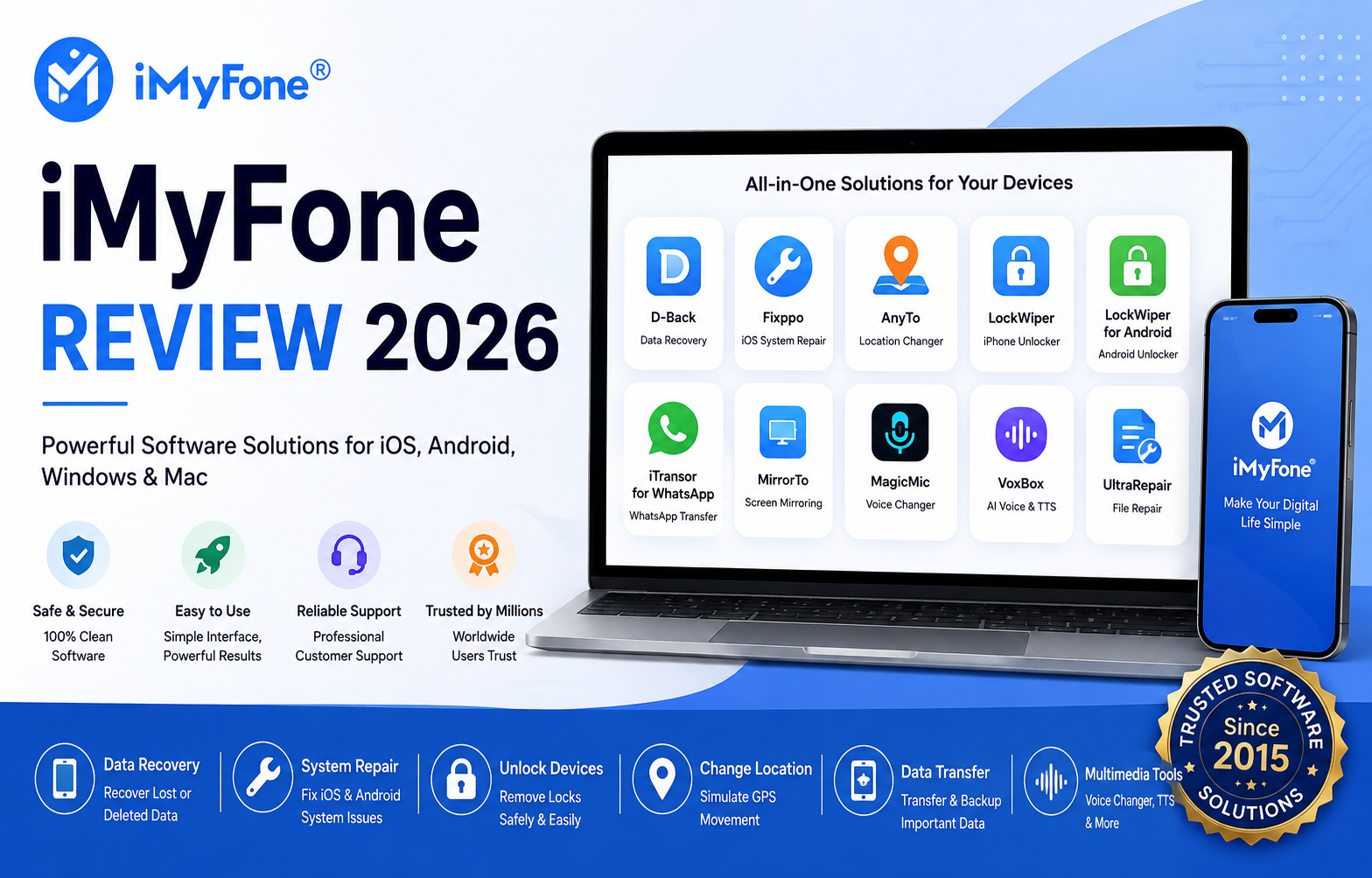
iMyFone is a software company that offers a large collection of tools for iPhone, iPad, Android devices, Windows PCs, and Mac computers. Its product portfolio includes utilities such as iMyFone D-Back, Fixppo, AnyTo, LockWiper, iTransor for WhatsApp, MirrorTo, MagicMic, VoxBox, and several other applications.
But is iMyFone actually worth using? Are its tools easy to use? Is iMyFone safe? What products does it offer? And what should you know before purchasing a subscription?
This detailed iMyFone review covers the platform, its major products, features, compatibility, pricing approach, safety considerations, advantages and disadvantages, alternatives, and frequently asked questions.
What Is iMyFone?
iMyFone is a software platform focused on solving common problems involving mobile devices and computers.
Rather than offering just one application, iMyFone provides a collection of specialized programs. Some products focus on data recovery, while others are designed for system repair, device unlocking, GPS location management, data transfer, screen mirroring, voice modification, and multimedia tasks.
The company maintains separate product pages, guides, download resources, FAQs, and support information for its software. Its official download center currently categorizes products around areas such as data management, repair and unlocking, location changing, and multimedia.
This makes iMyFone more comparable to a software toolkit than a single-purpose application.
What Does iMyFone Do?
The exact functionality depends on the product you choose.
Some of the main use cases include:
- Recovering deleted or lost phone data
- Repairing certain iOS system problems
- Transferring mobile data
- Managing WhatsApp data
- Changing GPS locations on supported devices
- Unlocking certain device locks
- Mirroring a phone screen to a computer
- Changing or modifying voices
- Generating or converting multimedia content
- Repairing certain corrupted files
- Managing Android and iOS device problems
Because these tools perform different jobs, users should select the specific iMyFone product according to their problem rather than assuming that one application handles everything.
iMyFone Main Products
1. iMyFone D-Back
iMyFone D-Back is one of the company’s best-known data recovery products.
It is designed to help users recover or retrieve lost information from supported iOS and Android devices and related backups or storage environments.
Depending on the version and situation, D-Back can work with different types of personal information, including photos, messages, contacts, notes, and other supported data.
The company positions D-Back as a user-friendly recovery solution, and its product information emphasizes previewing and recovering lost or deleted information.
Who Should Consider D-Back?
D-Back may be useful for people who:
- Accidentally deleted important files
- Lost photos or messages
- Need to examine available backup data
- Have problems accessing information on a supported device
- Want a guided recovery interface
However, data recovery software cannot guarantee that every deleted file will be recovered. Recovery depends on factors such as the device, operating system, backup availability, storage condition, and whether deleted data has been overwritten.
2. iMyFone Fixppo
Fixppo is designed primarily for iPhone, iPad, and related Apple system problems.
The software is positioned as an iOS system-repair utility that can help users troubleshoot certain software-related problems without immediately going through more complicated recovery procedures.
Potential use cases include:
- iPhone stuck during startup
- Certain update problems
- System errors
- Recovery-mode-related problems
- iOS troubleshooting
One of the biggest advantages of a dedicated repair application is that it gives less technical users a guided workflow.
However, users should always back up important information before performing system-level repair operations.
3. iMyFone AnyTo
iMyFone AnyTo is a location-management and GPS simulation tool for supported iOS and Android devices.
According to iMyFone’s product information, AnyTo can change device location and simulate GPS movement using features such as routes and joystick-style controls.
Possible use cases include:
- Location-based testing
- App development and testing
- Privacy-related location management
- Simulating movement for supported applications
- Testing location-dependent services
Users should be careful when using GPS simulation with third-party apps. Some applications prohibit location spoofing and may suspend or restrict accounts if they detect unusual location behavior.
4. iMyFone LockWiper
LockWiper is designed to address certain iPhone and iPad lock-related situations.
The product is marketed for removing or dealing with several supported iOS lock scenarios. iMyFone also provides a separate Android version.
This can potentially be useful if you have a legitimately owned device that you cannot access because of a supported lock problem.
However, unlocking functionality depends heavily on the exact device model, operating-system version, lock type, and circumstances.
Users should only use such tools on devices they own or are authorized to manage.
5. iMyFone LockWiper for Android
The Android version focuses on Android unlocking and related access problems.
iMyFone’s product center lists LockWiper for Android separately from the iOS version.
Because Android devices differ significantly between manufacturers, the available functionality can vary depending on the phone model and Android version.
Before paying for the software, it is sensible to verify compatibility with your exact device.
6. iMyFone iTransor for WhatsApp
iTransor for WhatsApp is designed for managing WhatsApp-related data.
Its intended uses include transferring, backing up, and restoring WhatsApp information between supported devices.
The product is particularly relevant to people moving from one phone to another who want to preserve their existing WhatsApp information.
As with any third-party WhatsApp management software, users should carefully review current compatibility requirements before starting a transfer.
7. iMyFone MirrorTo
MirrorTo is a screen-mirroring tool that can display mobile-device screens on a computer.
It supports screen mirroring for supported iOS and Android devices and is useful for situations where a larger display is more convenient. iMyFone lists MirrorTo among its current product offerings.
Potential uses include:
- Presentations
- Demonstrations
- Mobile gaming
- App testing
- Recording or viewing mobile content on a larger screen
Actual performance can depend on the device, connection method, operating system, and computer configuration.
8. iMyFone MagicMic
MagicMic is a real-time voice-changing application.
It provides voice effects and filters that can modify a user’s voice while using supported applications.
The company currently describes MagicMic as a real-time voice changer with a large selection of voice effects.
It can be interesting for:
- Content creators
- Streamers
- Gamers
- Online entertainment
- Voice experiments
The available effects and supported platforms may change over time.
9. iMyFone VoxBox
VoxBox focuses on AI-powered voice and text-to-speech functionality.
The product family is part of iMyFone’s broader multimedia software category.
Depending on the current version, users may find features related to text-to-speech, voice generation, voice processing, and related audio tasks.
Anyone using AI-generated voices for commercial or public content should also check the applicable licensing and consent requirements.
10. iMyFone UltraRepair
UltraRepair is another utility in the iMyFone ecosystem, focusing on file repair and media-related problems.
The broader product range shows that iMyFone has expanded beyond smartphone utilities into tools for multimedia and file management.
This can make the platform useful for users who want several different utilities from the same software provider.
iMyFone Features
The main attraction of iMyFone is its wide selection of specialized tools.
Data Recovery
D-Back focuses on retrieving lost or deleted information from supported devices and backups.
System Repair
Fixppo provides guided workflows for certain iPhone and iPad system problems.
Device Unlocking
LockWiper is designed around supported device-lock scenarios.
GPS Location Tools
AnyTo provides location-changing and GPS simulation features.
Data Transfer
iTransor and related products focus on transferring and managing information between supported devices.
Screen Mirroring
MirrorTo allows users to display mobile screens on computers.
Multimedia Tools
MagicMic, VoxBox, and other applications provide voice and multimedia functionality.
Is iMyFone Easy to Use?
One of iMyFone’s strongest selling points is its emphasis on guided interfaces.
Many device-repair and recovery tasks can be complicated when performed manually. Dedicated software can simplify the process by providing step-by-step instructions.
For beginners, this can be a significant advantage.
However, “easy to use” does not mean that every operation is risk-free. Users should carefully read each step before starting a repair, recovery, transfer, or unlocking operation.
iMyFone Compatibility
Compatibility varies from product to product.
iMyFone offers software for:
- iPhone
- iPad
- Android devices
- Windows computers
- Mac computers
The exact supported operating systems and device models should always be checked on the product’s official page before purchasing.
This is particularly important for recovery, unlocking, and repair software because functionality can change after operating-system updates.
Is iMyFone Safe?
Safety is one of the most common questions people ask before installing device-management software.
iMyFone’s official download-center information states that its software is free from viruses or malware and highlights professional technical support and software updates.
That said, users should still download software directly from the official iMyFone website rather than unknown third-party download sites.
It is also important to understand that “safe” and “guaranteed to recover every file” are different claims. No legitimate data-recovery tool can guarantee recovery of every deleted file.
For products that access sensitive phone information, users should also review permissions, privacy documentation, and the specific data-handling practices applicable to the product they are using.
Is iMyFone Legit or a Scam?
iMyFone is an established software brand with a broad product catalog, official download center, product documentation, support resources, and multiple software applications.
Therefore, it would be inaccurate to describe the entire platform simply as a scam.
However, that does not mean every product will work perfectly for every device or situation.
Independent online discussions show mixed experiences with individual iMyFone products. Some users report successful use cases, while others raise concerns about effectiveness, pricing, or particular unlocking and recovery situations.
The best approach is to evaluate the specific product you need instead of judging the entire company from one user’s experience.
iMyFone Pricing
iMyFone does not have one universal price because it offers many different products and licensing options.
The cost can depend on:
- Product
- Operating system
- Subscription period
- Number of devices
- Personal or commercial use
- Promotional discounts
- Region
- Current offer
Some products provide free downloads or trial functionality, while advanced features may require payment. iMyFone’s official download center prominently provides free-download options for several products.
Before purchasing, users should compare the available license options and check whether the plan is subscription-based or a one-time purchase.
Does iMyFone Offer Free Trials?
Several iMyFone products can be downloaded or tried before purchasing, although the amount of functionality available without payment depends on the individual product.
This is useful because users can often determine whether the software recognizes their device or provides the function they need before committing to a paid plan.
Always check the current product page for the exact trial limitations.
iMyFone Customer Support
iMyFone maintains product guides, FAQs, technical resources, and customer-support channels.
Its support documentation covers products such as D-Back, Fixppo, LockWiper, AnyTo, MirrorTo, ChatsBack, iTransor, and others.
This documentation can be particularly useful when troubleshooting compatibility problems.
Pros and Cons of iMyFone
Pros
- Large collection of device-management tools
- Supports both iOS and Android products
- Windows and Mac support for various applications
- Dedicated data-recovery software
- iPhone system-repair tools
- GPS location functionality
- WhatsApp transfer and management tools
- Screen-mirroring solutions
- Multimedia and AI-related utilities
- Downloadable trial/free versions for several products
- Product-specific guides and support resources
Cons
- The product range can be confusing for first-time users
- Pricing varies considerably between products
- Some advanced features require a paid license
- Compatibility differs between devices and operating systems
- Recovery results cannot be guaranteed
- Some features may change as Apple and Google update their operating systems
- Unlocking and GPS tools may have limitations depending on the situation
- Users should carefully review subscription terms before purchasing
iMyFone vs Traditional Repair Shops
One major advantage of software-based tools is convenience.
If your problem is software-related, a desktop application may allow you to attempt a solution from home instead of immediately visiting a repair shop.
However, software cannot fix every problem.
If your phone has physical damage, a broken component, liquid damage, or a serious hardware failure, professional hardware repair may still be necessary.
Therefore, iMyFone is best viewed as a software solution rather than a replacement for every type of phone repair service.
Who Should Use iMyFone?
iMyFone may be worth considering if you:
- Regularly manage iPhone or Android devices
- Need to recover lost data
- Have an iOS system problem
- Need to transfer WhatsApp information
- Want to mirror your phone screen
- Need a GPS-management utility
- Want multimedia or voice tools
- Prefer guided software over complicated technical procedures
Who Should Avoid iMyFone?
You may not need iMyFone if:
- Your device has a hardware problem
- You have a recent backup and can restore normally
- Your phone works correctly and you do not need additional utilities
- The particular iMyFone product does not support your device
- You are looking for a completely free solution
Things to Check Before Buying iMyFone
Before purchasing any iMyFone application, follow these steps:
1. Check Device Compatibility
Confirm your exact phone model and operating-system version.
2. Check the Product’s Features
Make sure the specific product actually provides the function you need.
3. Try the Free Version
Where available, test the software before paying.
4. Review the License
Check whether you are buying a monthly, annual, or lifetime license.
5. Check Renewal Terms
If the product uses recurring billing, understand how renewal works.
6. Back Up Your Data
Always create a backup before performing major recovery, repair, transfer, or unlocking operations.
iMyFone Review: User Experience
The overall user experience depends heavily on the product.
For example, someone using D-Back for data recovery has a very different experience from someone using AnyTo for GPS management or MagicMic for voice effects.
The common advantage is that iMyFone separates different tasks into dedicated applications.
This can make individual programs easier to understand than an enormous all-in-one utility containing dozens of unrelated functions.
The downside is that users may need to purchase different products for different problems.
iMyFone Review: Performance
Performance also varies by product and device.
Recovery speed can depend on the amount of data being scanned. System repair can depend on the severity of the problem and device model. Screen mirroring depends on connection quality and hardware. GPS functionality can depend on the operating system and target application.
For this reason, it is better not to promise a specific success rate or recovery percentage.
Instead, users should treat iMyFone as a practical software toolkit whose results depend on the individual situation.
iMyFone Alternatives
There are several other companies offering mobile-management and recovery software.
Common alternatives may include:
- Wondershare Dr.Fone
- Tenorshare
- EaseUS
- FonePaw
- Other device-specific recovery and repair utilities
The best alternative depends on the exact task.
For example, someone looking for iPhone data recovery should compare recovery features, supported devices, preview capabilities, and pricing. Someone looking for screen mirroring should compare latency, supported platforms, and connection options.
iMyFone Review: Final Verdict
So, is iMyFone worth it?
It can be, depending on the product and your specific problem.
The biggest strength of iMyFone is its broad collection of specialized utilities. Instead of focusing on a single function, the company provides tools for data recovery, system repair, unlocking, GPS management, data transfer, screen mirroring, voice modification, and other tasks.
Products such as D-Back, Fixppo, AnyTo, LockWiper, iTransor for WhatsApp, MirrorTo, and MagicMic target different user needs.
The biggest limitation is that no software can guarantee success in every situation. Device compatibility, operating-system version, data condition, and the specific problem all matter.
Our recommendation is to identify the exact problem first, select the appropriate iMyFone product, verify compatibility, try the available free functionality, and carefully review the license terms before purchasing.
For users who regularly manage mobile devices and want guided software solutions, iMyFone can be a useful option worth considering.
Frequently Asked Questions
Is iMyFone safe to use?
iMyFone states that its software is free from viruses or malware and provides official downloads and support resources. Users should download software from the official website and review the privacy and permission information for the specific product.
Is iMyFone legitimate?
iMyFone is an established software brand with a large product ecosystem, official product pages, downloads, documentation, and customer support resources.
Can iMyFone recover permanently deleted data?
Not necessarily. Recovery depends on factors such as backups, storage conditions, device type, and whether the deleted information has been overwritten.
Does iMyFone work on Android?
Yes. iMyFone offers several Android-focused products, including D-Back for Android and LockWiper for Android.
Does iMyFone work on iPhone?
Yes. Several iMyFone applications are specifically designed for iPhone and iPad, including D-Back, Fixppo, AnyTo, and LockWiper.
Is iMyFone free?
Some iMyFone software can be downloaded or tried for free, but advanced features generally require a paid license depending on the product.
Does iMyFone offer Mac software?
Yes. iMyFone provides software for Mac as well as Windows, although exact compatibility differs by product.
Is iMyFone AnyTo safe?
AnyTo is a GPS-location management tool. Users should understand that third-party apps may prohibit location spoofing, so using such functionality can potentially violate an application’s rules.
Can iMyFone unlock any iPhone?
No software should be assumed to unlock every iPhone. Results depend on the exact lock type, device model, iOS version, and supported functionality.
Does iMyFone have customer support?
Yes. iMyFone provides product guides, FAQs, technical resources, and support channels.
Should I back up my phone before using iMyFone?
Yes. A backup is strongly recommended before major repair, recovery, transfer, or unlocking operations.
Is iMyFone better than other recovery software?
There is no universal winner. Compare the specific product’s supported devices, recovery features, ease of use, pricing, and compatibility with your situation.
What is the best iMyFone product?
It depends on what you need. D-Back is focused on data recovery, Fixppo on system repair, AnyTo on location management, LockWiper on supported lock scenarios, and MirrorTo on screen mirroring.
Does iMyFone work with WhatsApp?
Yes. iMyFone offers products including iTransor for WhatsApp and ChatsBack for WhatsApp-related data management and recovery tasks.
Is iMyFone worth paying for?
It can be worthwhile when the software solves a specific problem that would otherwise require significant time or professional assistance. Before purchasing, verify compatibility and test the available free features.
